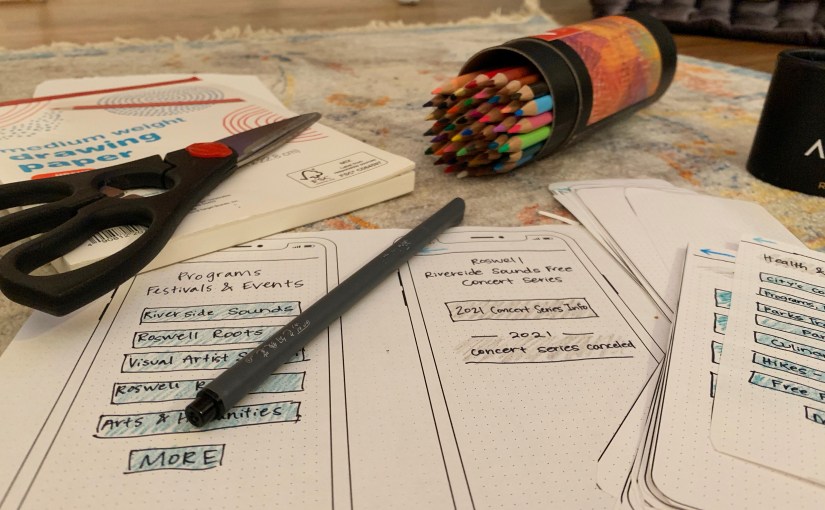
When designing and testing a product, sometimes people think they must wait until the product is perfect and 100% complete before they can show people. The best practices in UX design, however, come when the researcher or designer incorporates the users into the beginning stages of testing. UX Planet suggests that designers’ ideas are ready to be placed in front of users moments after the pen hits the paper. Showing designs off early can help researchers and designers anticipate changes early on, which will help with the end results down the line.
When creating the first few designs that go from our minds to paper, designers and researchers use paper prototypes to showcase their ideas. Paper prototyping involves sketching out the ideas and information architecture that encompass the body of a product. You can use paper prototyping for apps, websites and other user-centered design ideas.
There are two types of paper prototypes – low fidelity and high fidelity. Low fidelity prototypes are the ones I will be working with in this blog post, and they consist of paper sketches (in my case, for an app design) that you use to generate ideas and make quick changes along the way. High fidelity prototypes are more structured and polished paper prototypes that you use to show users and test the product.

The great thing about low fidelity paper prototypes is that you do not have to know how to use a complex software or design program – you just need some paper, pens, colored pencils or markers, scissors and tape. Having a flexible pre-testing step is very helpful in the design thinking process as designers are able to quickly change, modify and update their ideas in a cost-effective and time-saving manner.
Jacob Nielson points out that designers don’t use paper prototyping as much as they should. It provides designers and researchers with opportunities to collect data earlier than normal and is much cheaper than putting time and energy into designing on Photoshop or another software and then making changes along the way. In addition, you will be able to use paper prototyping skills throughout your career. It is a usability method that can be pulled out and used without a second thought or extensive planning.
Paper Prototyping in Action
Recreation in Roswell App Design
Full presentation with prototypes below:
I recently created a bunch of low fidelity paper prototypes for an app I am designing called Recreation in Roswell. This app shadows the Roswell, GA municipality website and gives users a more specific look into the recreational activities going on in the city.
I have already created the information architecture design for the app, which you can view below.
To begin my paper prototyping process, I gathered the supplies I needed to accomplish the tasks. I knew ahead of time that I would need colored pencils, some markers/pens, scissors and printer and sketch paper. I also printed off an iPhone X template that was really helpful in creating the app design at 100% scale.

I chose to design my app through the iPhone and iOS interface because that is what I know the best and could replicate in the simplest manner.
Next, I created a check list for the screens/screen ideas and flows I wanted to use for the presentation. This helped me stay organized and check off the screen when I completed it.
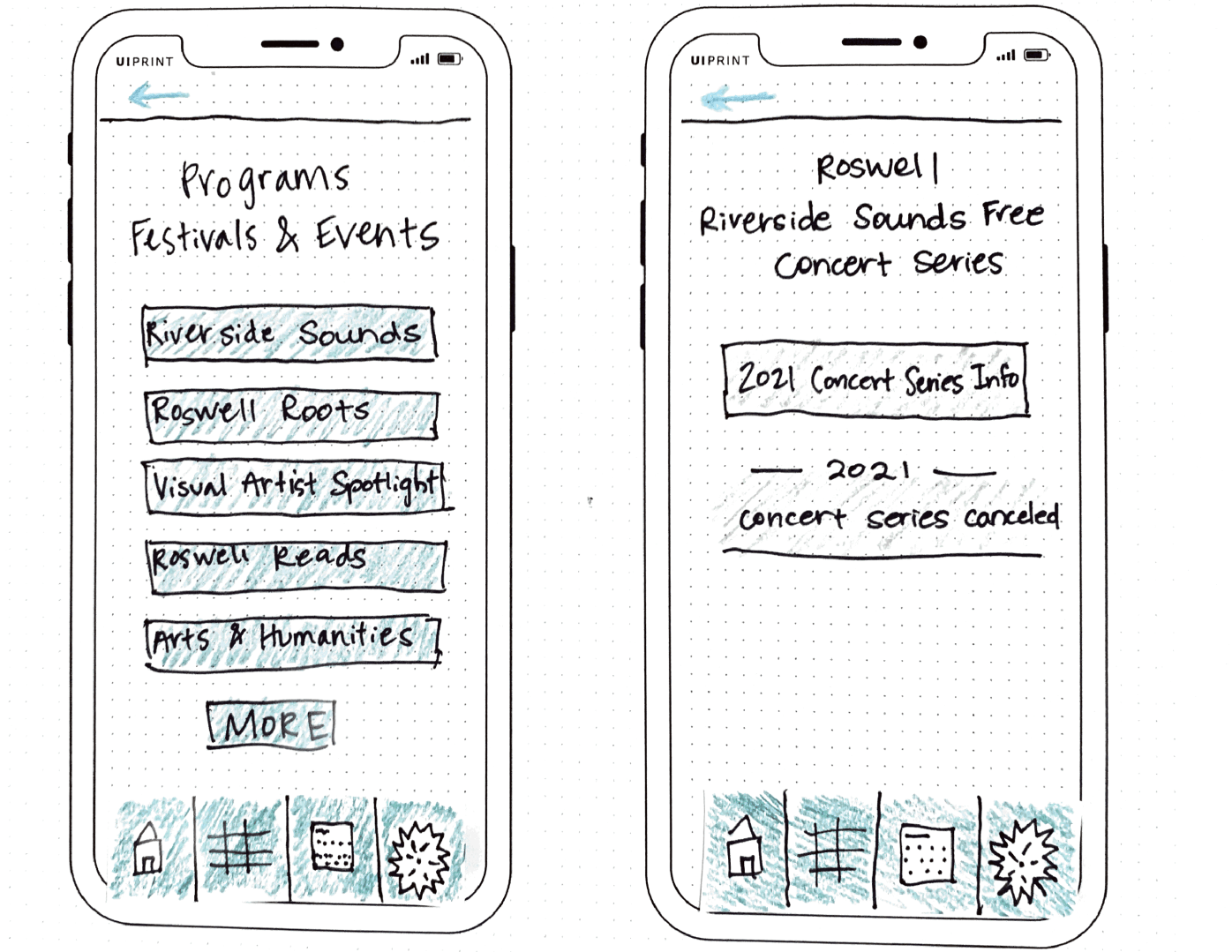
I used a few of the flows I had already created previously, which are linked above. I then added more flows to the prototype list so that would end up with a little over 20 screens to view. As I was creating the screens, I had to add in the features that would appear on the screens that the user can interact with. This includes things that are clickable, things that are not clickable, how the menus will be laid out and what color scheme will be used.
I designed the app to coincide with the City of Roswell municipality website, so I used the color green for a majority of the color scheme. I incorporated the City of Roswell logo on the homepage of the app. I also created a sub menu that would live on each page that could redirect users back to the main menu pages found on the home screen. The blue arrow at the top left will allow users to return to the previous page.

References
CanvasFlip. (5 Sept. 2016). The art of UX sketching and paper prototyping. Retrieved from https://uxplanet.org/the-art-of-ux-sketching-and-paper-prototyping-5dae5a1efc7d
Nielson, J. (13 April 2003). Paper Prototyping: Getting user data before you code. Retrieved from https://www.nngroup.com/articles/paper-prototyping/
 MAGGIE PRUITT